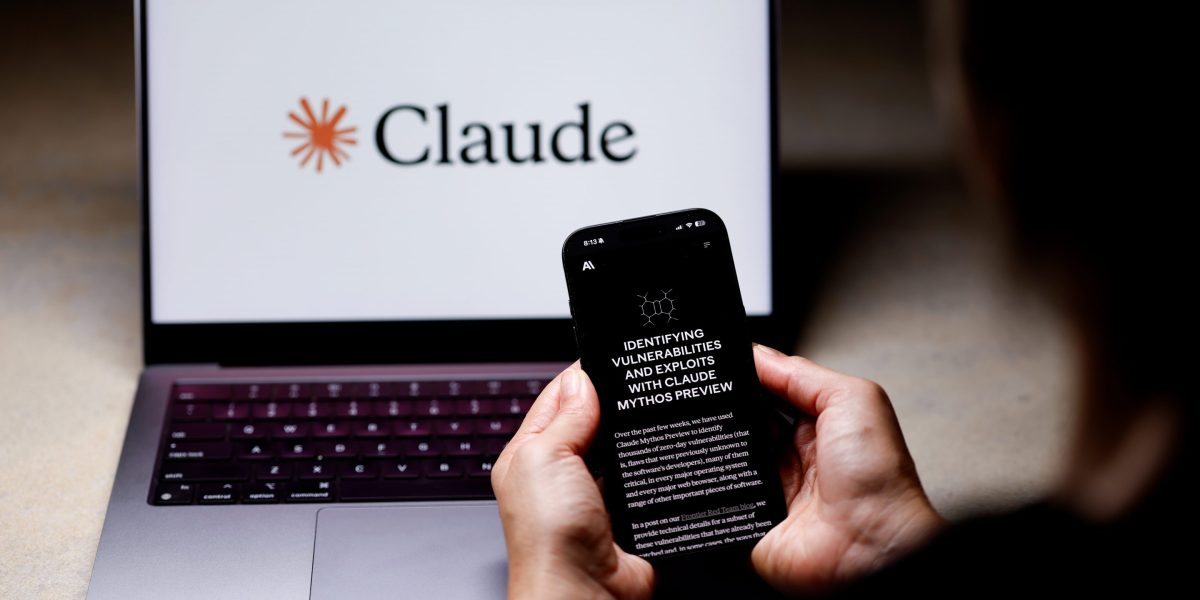
One of the better aspects of being a journalist—aside from the long hours, the bitter emails and Slack messages, and the wording and rewording of a simple phrase to ensure it reads just right—is the ability to spend time tinkering with things. For the past month, I’ve been tinkering with Dispatch, a new feature from Anthropic’s Claude that essentially turns your phone into a remote control for your desktop. I’ve used it to prepare for a meeting when my lunch was running over, and to pull up a lost file on my desktop without having to spend time looking for it myself. Here are some ways you can use it, too.
The first thing to know is that Dispatch is not really a new “model” but more of a workflow layer inside Claude Cowork that connects the Claude mobile app to the Claude Desktop app. This lets Claude run tasks on your computer with access to local files, connectors, plugins, and apps. To get yourself started, you’ll need the latest Claude Desktop and Mobile apps, a Max plan currently priced at $200 a month (the company said it will eventually be available on the cheaper, $20 a month Claude Pro plan), an active internet connection on both devices, and a computer that is awake with the Claude app open.
Before we dive into this, it means if you’re out and about, you have to keep your desktop active to use it—let it go to sleep, and the whole remote control thing fails.
In actuality, if you set your laptop or desktop to never sleep, it becomes a powerful tool wherever you are in the world, and could potentially mean you can indeed work from anywhere, even as your desktop remains sometimes miles away from your phone. This means no matter where you are, you can ask Claude to pull files, summarize documents, draft a memo, inspect a spreadsheet, prepare a meeting brief, or start a coding task, and Claude will route the work to the appropriate desktop session. Anthropic says development tasks run in Claude Code, knowledge-work tasks run in Cowork, and the results can come back as a spreadsheet, memo, comparison table, pull request, or other completed output.
‘Quick pull’ task
The most obvious use case is the “quick pull” task: find a document, summarize it, compare it against another file, or package it for a meeting. Anthropic says Claude Cowork can use local files, connected tools, skills, installed plugins, browser access, and computer use when completing tasks. It also makes Dispatch particularly useful for daily briefings: “Check my calendar, unread email, and Slack mentions, then send me a summary before my first meeting.” By connecting Slack and Chrome to Claude, Anthropic can then list daily briefings that summarize Slack messages, emails, or calendar events as a common use for scheduled Cowork tasks.
After spending time with the feature, the use cases that stood out were not sci-fi in nature. They were the annoying, ordinary things that pile up between meetings, errands, commutes, and moments away from a desk: find this file, summarize that thread, prepare tomorrow’s meeting, pull the numbers, draft the follow-up, check whether something came in, and package it all so it is ready when you sit back down.
Here are the coolest things Dispatch can do.
Keep a continuous task thread
Dispatch is not just a pile of disconnected mobile prompts: a Dispatch thread doesn’t reset, so Claude retains context from previous tasks and lets the user start on their phone, continue on their desktop, and pick up later in the same conversation. That sounds minor until you use it for multi-step work. You can ask Claude to find a file, then follow up from your phone with “turn that into a briefing,” and later sit down and ask for edits from the desktop. You can easily switch from smartphone to desktop and continue where you left off.
Find files without digging through folders
One of the most practical uses is asking Claude to locate files on the computer, such as screenshots, PDFs, notes, decks, receipts, spreadsheets, or templates. Ask it to locate a specific downloaded file from hundreds, and it can (if you use the right keywords, of course). Instead of waiting until you’re back at your desk to dig through Downloads, Drive, Desktop, and app folders, you can ask from your phone: “Find the deck I used for the March client meeting,” “pull the invoice from last Friday,” or “look for screenshots that mention pricing.”
Summarize emails while away from your desk
Dispatch can also be used for email triage—it successfully summarized my most recently received email, and I was able to cut my clutter down significantly when I finally sat down at my desktop. It wasn’t just used to give me a summary of each and every email that entered my inbox, but rather (and perhaps, even more useful), it was able to pull out the important ones. It answered not only “summarize my emails” but also “tell me what I need to know before I walk into the next meeting.”
Build a morning briefing
Dispatch becomes more powerful when paired with recurring Cowork tasks. Scheduled Cowork tasks can summarize Slack messages, emails, or calendar events from the past 24 hours, and can generate daily briefings, weekly reports, recurring research, file organization, and team updates. That means a practical setup is: schedule a daily briefing, then use Dispatch to ask follow-up questions from your phone. For example: “What changed since the briefing?” or “Which of today’s meetings needs prep?”
Turn calendar clutter into meeting prep
One of the best uses is to ask Claude to prep for the next item on your calendar. Because Cowork can work with connected tools and local files, a Dispatch prompt can ask for the calendar event, relevant documents, prior notes, open tasks, and a short prep memo. You’ve run out of the office for a quick lunch, but the line’s running a bit long. A simple prompt turns the line into prep time. “For my 2 p.m. meeting, find the latest proposal, summarize the last email thread, list open questions, and draft three bullets I should raise.”
Pull numbers from spreadsheets
It’s pretty well suited to spreadsheet questions that do not require a full analytics project: “What was revenue last month?” “How many more disclosure reports listed this one thing?” The feature can deliver outputs such as spreadsheets, memos, comparison tables, and pull requests directly to your phone from your desktop.
Work with Notion databases
I ran several Notion-related tests, including summarizing the most recent note in a Notion notes database, listing notes saved that day, and adding a URL to a Notion notes database. It’s a pretty good example of how Dispatch can be used as an assistant: capture and organize information while you are away from the desk.
Retrieve something you already asked for
One underrated use is continuity, and Dispatch was able to show a screenshot I searched for earlier in the same session. You don’t have to start from scratch if the task has context. You can say, “Send me the screenshot from earlier,” “use the same folder,” or “make a table from the files you just found.”
Create comparison tables
Claude’s Cowork model is built for outputs. In fact, Anthropic lists comparison tables among the kinds of results Claude can return from Dispatch-triggered work. That makes Dispatch useful for reviewing different proposals, comparing contracts, or summarizing research. A practical prompt: “Compare the three contracts PDFs in my Downloads folder by price, scope, renewal terms, and cancellation language.”
Organize files while you are doing something else
File organization is one of the least glamorous yet most useful AI agent tasks. Dispatch can periodically sort, clean up, or process files in a designated folder. However, keep it constrained, because saying “move every file on my desktop” is risky. “Find PDFs in Downloads from this week, list what each appears to be, and ask before moving anything” is a much better bet.
Compile receipts and expense notes
Probably a major annoyance is uploading your receipts for reimbursement, but Dispatch handled that quickly. It analyzed receipts for expense reports and compiled summaries from multiple sources.
Turn phone thoughts into desktop documents
Dispatch is especially good for moments when an idea arrives away from a keyboard. You can use Claude Code voice mode to brain-dump tasks and turn them into an interactive webpage, with Dispatch helping trigger the desktop workflow from the phone.
Start coding work remotely
Dispatch can route development tasks differently from knowledge work tasks, meaning a mobile prompt can kick off or continue coding. The related Claude Code Remote Control feature goes further by connecting the Claude app or claude.ai/code to a Claude Code session running locally, while keeping the tools and project configuration available on the machine.
Use your local environment instead of a cloud workspace
The difference between local and cloud execution matters. Claude Code on the web, which runs on cloud infrastructure, while Claude Code’s Remote Control is a local session that keeps running on your machine, and the web or mobile interfaces are just a window into that local session.
Work in the background while you are away
The “magic” of Dispatch is not that it answers instantly. It is that it can work while you are doing something else. It runs in the background and keeps working on research, coding, documents, and other tasks without continuous prompting, so you can get to more pressing work.
Create weekly reports
Weekly reports are one of the cleanest recurring workflows. Scheduled Cowork tasks can compile data from Google Drive, spreadsheets, or connected tools into a formatted summary. The Dispatch layer adds mobile control: “Run the weekly report now,” “add a section on churn,” or “compare this week with last week before I get back to my desk.”
Track recurring research
Scheduled Cowork tasks can track topics, competitors, or industry news on a regular cadence. That makes Dispatch useful for anyone following a beat, a market, a competitor, a policy issue, or a customer account. A simple prompt like “Run the competitor watch now and tell me whether anything material changed today” goes a long way.
But it still fails in very normal ways
Dispatch is not yet a perfect assistant. It still had trouble opening Shortcuts or sending a screenshot on other mediums outside of the Claude app. And sometimes it was annoyingly so—when I even just went to the downloads folder and picked out the file I needed in seconds. And while my coworkers thought it was neat to leave your laptop at the office (what a concept!), it was unnecessarily unnerving to always leave it unlocked for this to work—let alone, always on, all the time.
Maybe most of all, it still needs guardrails. IT was adamant that I use a tester laptop for this trial, and the privacy and security caveat is real. Even Anthropic’s computer-use guidance says Claude may take screenshots to understand the screen and can see information visible in approved apps, including personal data, sensitive documents, or private information. The rule of thumb was to start with read-only, letting Claude search, summarize, compare, prepare, and draft, and then require approval before it sends, deletes, buys, files, posts, submits, or modifies anything important.
The last thing it did?
For this story, Fortune journalists used generative AI as a research tool. An editor verified the accuracy of the information before publishing.