No Result
View All Result
  • Login
Wednesday, August 26, 2026
theadvisertimes.com
  • Home
  • Business
  • Financial Planning
  • Personal Finance
  • Investing
  • Money
  • Economy
  • Markets
  • Stocks
  • Trading
  • Home
  • Business
  • Financial Planning
  • Personal Finance
  • Investing
  • Money
  • Economy
  • Markets
  • Stocks
  • Trading
No Result
View All Result
theadvisertimes.com
No Result
View All Result
Home Money

5 Phone Settings Every Senior Should Change Tonight

by theadvisertimes.com
3 months ago
in Money
Reading Time: 4 mins read
A A
0
5 Phone Settings Every Senior Should Change Tonight
Share on FacebookShare on TwitterShare on LInkedIn


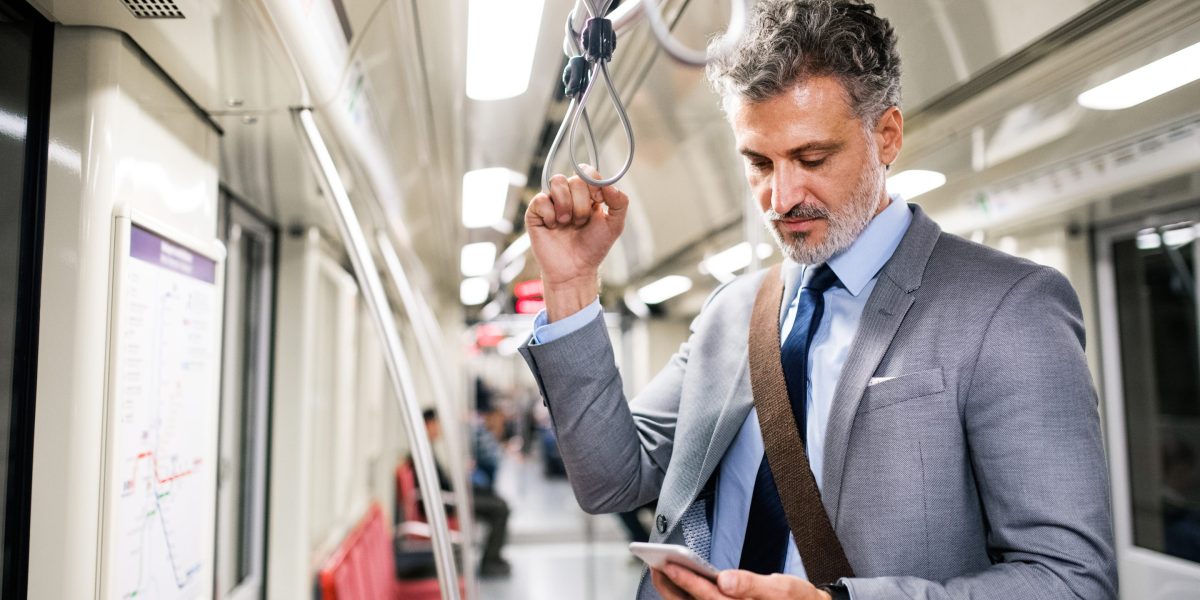
Enable call screening, Emergency SOS, automatic updates, privacy controls, and stronger screen locks to make your smartphone safer and more secure. Pexels

Smartphones make it easier than ever to stay connected with family, manage finances, schedule medical appointments, and access emergency assistance. Unfortunately, they have also become a major target for scammers, identity thieves, and cybercriminals. Many seniors assume their phones are already secure, but a few overlooked settings can leave personal information exposed or make it easier for fraudsters to make contact. Here are five phone settings every senior should change ASAP to help protect their privacy, finances, and personal safety.

1. Turn On Silence Unknown Callers

One of the easiest ways to reduce scam calls is to activate the setting that silences calls from unknown numbers. Both iPhone and Android devices offer features that either silence or screen callers who are not in your contacts list. This can dramatically reduce robocalls, spoofed numbers, and scam attempts that often target older adults. Apple’s call-screening features can send unknown callers directly to voicemail or require them to identify themselves before the phone rings. If you regularly receive important calls from doctors or service providers, check your voicemail frequently to avoid missing legitimate messages.

2. Enable Emergency SOS Features

Many smartphone owners are unaware that their device includes built-in emergency tools. Emergency SOS settings allow users to quickly contact 911 and notify designated emergency contacts by pressing a series of buttons on the phone. These features can also share your location with loved ones during an emergency. For seniors who live alone or spend time traveling independently, this setting can provide an additional layer of protection. Emergency SOS can be especially valuable during falls, medical emergencies, vehicle accidents, or situations where unlocking the phone is difficult.

3. Turn On Automatic Software Updates

One of the most important phone settings for seniors is enabling automatic software updates. Device manufacturers regularly release updates that fix security vulnerabilities discovered by hackers and cybersecurity researchers. Delaying updates can leave your phone vulnerable to malware, phishing attacks, and unauthorized access. While updates may seem inconvenient, they often include critical protections that work behind the scenes.

4. Review App Permissions and Location Sharing

Many apps request access to your camera, microphone, contacts, photos, and location data when they are first installed. Over time, it is easy to forget which apps have been granted these permissions. Reviewing your privacy settings and removing unnecessary permissions can reduce the amount of personal information being collected and shared. For example, a flashlight app generally does not need access to your contacts or microphone.

5. Strengthen Screen Lock Security

A surprising number of smartphone users still rely on simple four-digit PINs or no screen lock at all. If a phone is lost or stolen, weak security can give someone immediate access to banking apps, email accounts, saved passwords, and personal information. Consider using a longer PIN, fingerprint authentication, or facial recognition if your device supports it. Modern biometric security features are easier to use than many people realize and add significant protection against unauthorized access.

Small Changes That Can Prevent Big Problems

The best security improvements are often the simplest ones. Activating these five phone settings can reduce unwanted scam calls, improve emergency preparedness, strengthen privacy, and protect valuable personal information. Many of these changes take less than 10 minutes to complete, yet they can help prevent problems that are costly and stressful to resolve. Think of these settings as routine maintenance, similar to locking your doors or updating your smoke detector batteries. Spending a few minutes tonight reviewing your phone settings could save you from significant headaches in the future.

Which of these phone settings have you already enabled, and are there any smartphone safety tips you would add for other readers? Share your thoughts in the comments below.

What to Read Next

The Everyday Phone Habit Cybersecurity Experts Say Could Put Your Personal Data at Risk

The ICE Contact Every Senior Should Add to Their Phone Today

5 Financial Scams Targeting Seniors Right Now That Often Begin With a Text or Phone Call


Source link

Tags: ChangePhoneseniorSettingsTonight
ShareTweetShare
Previous Post

US stocks: S&P 500, Nasdaq end up as tech, chipmakers rebound

Next Post

Tarte Maracuja Juicy Lip Plump in Bloom Trio (3 pack) only $25.48 shipped!

Related Posts

6 Part-Time Jobs Retirees Can Explore Before the Holiday Hiring Rush

6 Part-Time Jobs Retirees Can Explore Before the Holiday Hiring Rush

by theadvisertimes.com
August 7, 2026
0

The weeks before the holiday hiring rush can be a surprisingly good time for retirees to decide whether a little...

Medicare Deadlines New Retirees Should Put on the Calendar Before Leaving Work

Medicare Deadlines New Retirees Should Put on the Calendar Before Leaving Work

by theadvisertimes.com
August 7, 2026
0

A 65-year-old retiring in November may have a completely different Medicare timeline from a 68-year-old leaving an employer health plan...

8 Side Effects of Aging That No One Prepares You For

8 Side Effects of Aging That No One Prepares You For

by theadvisertimes.com
August 7, 2026
0

Aging is often portrayed as a graceful journey filled with wisdom, leisure, and newfound freedom. While those aspects can certainly...

Stock news for investors: Quarterly earnings from Telus, Shopify, BCE, and more

Stock news for investors: Quarterly earnings from Telus, Shopify, BCE, and more

by theadvisertimes.com
August 6, 2026
0

The company reported a loss attributable to common shareholders of $1.8 billion or $1.17 per share for the quarter ended...

The world’s largest corporate holder of Bitcoin has been selling—should you be concerned?

The world’s largest corporate holder of Bitcoin has been selling—should you be concerned?

by theadvisertimes.com
August 6, 2026
0

While selling BTC is not alarming in itself, it seems to go against Executive Chairman Micheal Saylor’s public image as...

7 Warning Signs an Older Adult May Be Under Financial Pressure

7 Warning Signs an Older Adult May Be Under Financial Pressure

by theadvisertimes.com
August 6, 2026
0

It often starts with what seems like a harmless favor. A relative offers to help pay bills online. A new...

Next Post
Tarte Maracuja Juicy Lip Plump in Bloom Trio (3 pack) only .48 shipped!

Tarte Maracuja Juicy Lip Plump in Bloom Trio (3 pack) only $25.48 shipped!

Gloo Holdings Releases Q1 2026 Financial Results

Gloo Holdings Releases Q1 2026 Financial Results

  • Trending
  • Comments
  • Latest
Wealth management has got junior advisors’ first 90 days covered. What happens on day 91?

Wealth management has got junior advisors’ first 90 days covered. What happens on day 91?

August 7, 2026
Biggerpockets Pro Members Can Now Turn Home Equity Into a Flexible Line of Credit With Aven

Biggerpockets Pro Members Can Now Turn Home Equity Into a Flexible Line of Credit With Aven

August 3, 2026
The 19 Largest Global Startup Funding Rounds of June 2026 – AlleyWatch

The 19 Largest Global Startup Funding Rounds of June 2026 – AlleyWatch

July 27, 2026
Fourth of July 2026 Freebies and Deals

Fourth of July 2026 Freebies and Deals

July 3, 2026
Kellogg’s Back to School Snacks Instant Savings: Save  off  Purchase + Deal Scenario!

Kellogg’s Back to School Snacks Instant Savings: Save $10 off $35 Purchase + Deal Scenario!

August 6, 2026
CVS Deals Under  This Week

CVS Deals Under $1 This Week

July 27, 2026
XRP Price Forecast as Binance Whale Activity Remains Elevated Amid XRPL Tokenization Push

XRP Price Forecast as Binance Whale Activity Remains Elevated Amid XRPL Tokenization Push

0
Wealth management has got junior advisors’ first 90 days covered. What happens on day 91?

Wealth management has got junior advisors’ first 90 days covered. What happens on day 91?

0
Is Lettuce Safe to Eat Now? What to Know Amid Cyclospora Outbreak

Is Lettuce Safe to Eat Now? What to Know Amid Cyclospora Outbreak

0
The Unwinnable Iran War | Armstrong Economics

The Unwinnable Iran War | Armstrong Economics

0
Bezeq declares NIS 515m dividend

Bezeq declares NIS 515m dividend

0
AI Will Clarify What Asset Managers Are Paid For

AI Will Clarify What Asset Managers Are Paid For

0
XRP Price Forecast as Binance Whale Activity Remains Elevated Amid XRPL Tokenization Push

XRP Price Forecast as Binance Whale Activity Remains Elevated Amid XRPL Tokenization Push

August 8, 2026
Is Lettuce Safe to Eat Now? What to Know Amid Cyclospora Outbreak

Is Lettuce Safe to Eat Now? What to Know Amid Cyclospora Outbreak

August 8, 2026
Bitcoin outlook: ,000 or ,000 this weekend

Bitcoin outlook: $70,000 or $60,000 this weekend

August 8, 2026
Mortgage and refinance interest rates today, Saturday, August 8, 2026: Rates mixed this weekend

Mortgage and refinance interest rates today, Saturday, August 8, 2026: Rates mixed this weekend

August 8, 2026
CEO of the world’s largest workspace provider says commuting will be extinct by 2040

CEO of the world’s largest workspace provider says commuting will be extinct by 2040

August 8, 2026
F&O Talk: Smallcaps look strong on charts, says Sudeep Shah; outlines Trent, Swiggy, Kalyan Jewellers strategy

F&O Talk: Smallcaps look strong on charts, says Sudeep Shah; outlines Trent, Swiggy, Kalyan Jewellers strategy

August 8, 2026
theadvisertimes.com

Get the latest news and follow the coverage of Business & Financial News, Stock Market Updates, Analysis, and more from the trusted sources.

CATEGORIES

  • Business
  • Cryptocurrency
  • Economy
  • Financial Planning
  • Investing
  • Market Analysis
  • Markets
  • Money
  • Personal Finance
  • Startups
  • Stock Market
  • Trading

LATEST UPDATES

  • XRP Price Forecast as Binance Whale Activity Remains Elevated Amid XRPL Tokenization Push
  • Is Lettuce Safe to Eat Now? What to Know Amid Cyclospora Outbreak
  • Bitcoin outlook: $70,000 or $60,000 this weekend
  • Our Great Privacy Policy
  • Terms of Use, Legal Notices & Disclosures
  • About Us
  • Contact Us

© Copyright 2024 All Rights Reserved
See articles for original source and related links to external sites.

Welcome Back!

Login to your account below

Forgotten Password?

Retrieve your password

Please enter your username or email address to reset your password.

Log In
No Result
View All Result
  • Home
  • Business
  • Financial Planning
  • Personal Finance
  • Investing
  • Money
  • Economy
  • Markets
  • Stocks
  • Trading

© Copyright 2024 All Rights Reserved
See articles for original source and related links to external sites.